QR Codes vs Guest WiFi for Customer Data Capture
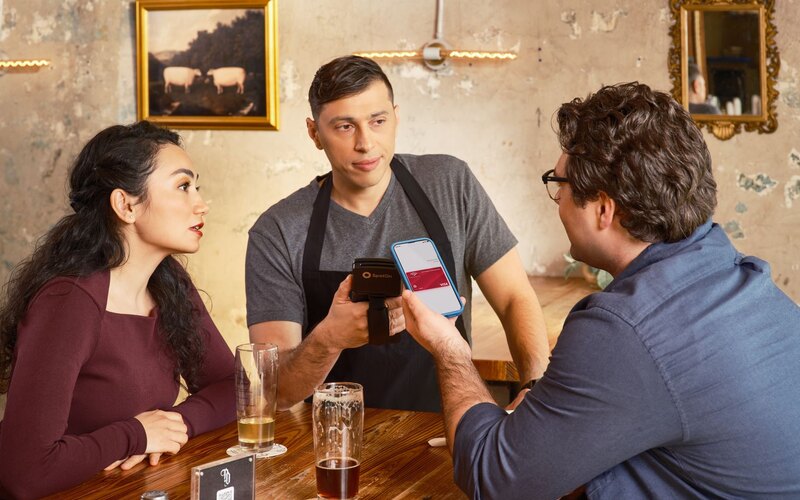
Picture the counter of a busy cafe at 8.40am. There is a little card by the till with a QR code on it: "Scan to join our mailing list, 10% off your next visit." Most people glance at it, decide they will do it later, and never do. A handful scan, land on a form, see five fields, and back out. By the end of the week you have maybe a dozen new names from a thousand customers.
Now picture the same cafe where the WiFi sign-in screen asks for an email before it lets someone online. Almost everyone who wants the WiFi gives one. That is the whole argument in miniature, and it is worth getting past the marketing claims on both sides to see why.
QR codes are genuinely popular. TEAM LEWIS consumer research found 68% of consumers had used a QR code at least once in the past year, rising to 83% of Gen Z. The technology is not the problem. The problem is that a QR code is an invitation, and a WiFi sign-in is a transaction. People skip invitations. They complete transactions.
The honest difference in one line
A QR code needs intent. Someone has to want what is on the other side enough to pick up their phone, open the camera, scan, wait for a page to load, read a form and fill it in. Guest WiFi flips that. The guest already wants something (free internet), and the email is the price of admission. You are not asking them to go out of their way. You are capturing at the exact moment they are motivated.
QR codes capture people who decide to act. WiFi captures people who simply want to get online. The second group is far larger, and you reach them at the precise second they are most willing to hand over an email.
That does not make QR codes useless. It makes them a different tool for a different job, which we will get to. But if your goal is building a customer database month after month, the maths is not close.
How QR-code sign-up actually works
A QR-code sign-up is a funnel, and every step in a funnel leaks. The guest has to notice the code, decide to scan it, successfully scan it (older phones without native camera scanning add friction here, per QRCodeKit), wait for the landing page, then complete and submit a form.
Each step loses people. TextingOnly's analysis puts numbers on it: mobile pages that take longer than three seconds to load lose roughly 53% of visitors (a figure that traces back to Google's mobile research), and around 70% of people abandon a mobile form before finishing it. Stack those together and a QR code that generates 1,000 scans might produce fewer than 150 usable leads. Treat that 150 as directional rather than gospel (it is vendor analysis, not a controlled study), but the shape is right: scans are not sign-ups.
There is a quieter problem too. A scan that bounces without completing the form leaves what TextingOnly calls an attribution gap. You get a session (a device, a timestamp, time on page) but no identity. The person was interested enough to scan and you still have nothing to email them. If you want to understand the difference between a session and a captured contact, our piece on anonymous foot traffic covers the same gap from the analytics side.
How WiFi captive-portal capture works
A captive portal is the branded screen that appears when a guest joins your WiFi. Before the venue's controller or gateway lets them onto the internet, it shows a sign-in page. On that page you ask for an email, the guest enters it, ticks a marketing opt-in if they want offers, and they are online. The contact lands in your database automatically.
The key word is "before". The internet is the reward, and the email is what unlocks it. Nobody has to go looking for your form because the form is standing between them and the thing they came for. That is why captive portals collect first-party contact data directly at sign-in, and why email capture is the single most commonly stated goal of deploying guest WiFi (around 25.4% of businesses, per Spotipo's vendor survey).
This is what CaptiFi does. We are not a hardware company and we do not install kit. We sit on top of the network you already run (UniFi, TP-Link Omada, Cisco Meraki, Aruba, MikroTik, Ruckus, Fortinet, Cambium, DrayTek, or an included plug-and-play device) and provide the branded portal, the email capture, the consent handling and the automated follow-up. If you want the nuts and bolts, our guest data capture feature page walks through it, and how to capture emails from guest WiFi is the step-by-step.
Friction and capture rate
Friction is the whole game, and the two methods sit at opposite ends of it.
QR friction
- The guest must notice the code, which competes with everything else on the table or wall.
- They must choose to scan, which is an extra deliberate action.
- The page must load fast, or you lose roughly half before they read a word.
- The form must be short, because around 70% abandon mobile forms.
- Older devices may not scan cleanly at all.
WiFi friction
- The guest is already trying to connect, so the action is one they want.
- One field (an email) and one tap, then they are online.
- No app, no camera, no separate landing page to load.
This is why the capture rates are not in the same league. Venues using CaptiFi typically capture 40 to 60% of connecting guests as email subscribers, which works out at 400-1,200 emails per venue per month. A QR poster pulling fewer than 150 leads from 1,000 scans, and only a fraction of footfall scanning in the first place, simply cannot match that volume. The reason is not clever copy. It is that one method asks for effort and the other rides on effort the guest was already making.
The fastest way to kill any capture method is an extra step. QR codes add three or four. A WiFi sign-in removes them by putting the form on the path the guest is already walking.
What data each method actually gets
Volume is one thing. The shape of the data matters too.
A QR landing page can ask for anything you put on the form: name, email, birthday, preferences. The catch is that every extra field pushes the abandonment rate higher, so in practice the forms that convert are short. And because the scan happens anywhere (a poster, a receipt, a table), you do not reliably know the person was ever inside your venue at that moment.
A WiFi sign-in gives you something a QR poster cannot: proof of presence. The capture happens because someone is physically connected to your network, on your premises, right now. That ties the email to a real visit, and because the same device reconnects on return, you build per-customer visit history over time. That is the foundation for win-back campaigns to lapsed guests and birthday offers, and it is why first-party data from WiFi behaves so differently from a list of anonymous scans. CaptiFi turns those repeat connections into visit analytics and automated welcome and win-back emails; across the CaptiFi network the average repeat visitor rate is 32%.
To put it bluntly: QR gives you a contact. WiFi gives you a contact plus a visit, and the visit is where the marketing value lives. For more on turning that list into revenue, building an email list with WiFi covers the full loop.
Consent and UK compliance
This is where a lot of QR sign-up forms quietly get it wrong, and where it pays to be careful.
Under UK GDPR and PECR, marketing consent has to be a freely given, specific, unbundled opt-in. You cannot bury "yes to marketing" inside "yes to the offer" and treat the lot as a marketing list. A QR form can be built compliantly, but plenty are not: the discount and the mailing list get rolled into one tick, which is exactly the kind of bundled consent regulators dislike.
A well-built captive portal handles this cleanly. Network access and marketing consent are separated, so a guest can get online while making a distinct, informed choice about whether they want emails. That separation is the point, and it is how CaptiFi is built. Our GDPR compliance page sets out the consent model, and GDPR-compliant WiFi goes deeper on the legal mechanics. The compliance burden is roughly the same whichever method you use; the difference is that a portal makes the right structure the default, whereas a hand-built QR form leaves it to whoever designed the page.
QR vs WiFi: the comparison table
| Factor | QR-code sign-up | Guest WiFi capture |
|---|---|---|
| Friction | High: notice, scan, load, fill, submit | Low: one field on the path to the internet |
| Capture rate | Often fewer than 150 leads per 1,000 scans (TextingOnly), and only a slice of footfall scans | 40 to 60% of connecting guests (CaptiFi) |
| Volume | Depends on signage and a willing scanner | 400-1,200 emails per venue per month (CaptiFi) |
| Data captured | Whatever the form asks, but no proof of presence | Email plus a verified, repeatable visit record |
| Consent | Compliant only if the form is built that way; easy to bundle by accident | Unbundled opt-in by design under UK GDPR and PECR |
| Cost | Cheap to print; the cost is the wasted footfall that never converts | Subscription from $69/mo, runs on hardware you already own |
| Best for | One-off campaigns, menus, posters, events | Building a database day after day |
When each method wins
Both have a place. Pretending otherwise would be dishonest.
When QR wins
- One-off campaigns. A poster for an event, a competition, a launch. You want a quick action from people who are already engaged.
- Off-premise touchpoints. Flyers, packaging, receipts, a stand at a market. There is no network to sign into, so a QR code is the obvious route.
- Single, specific actions. "Scan to see the menu", "scan to leave a review", "scan to pay". Narrow intent, narrow ask.
When WiFi wins
- Steady database growth. If you want a list that fills itself every day from people who walk in, the portal does it without anyone lifting a sticker.
- Repeat-visit businesses. Pubs, cafes, restaurants, salons, gyms and hotels all benefit from tying an email to a recognised returning device. See the sector guides for pubs, cafes and salons.
- Multi-site operators. One centralised dashboard across every location beats a different QR poster in every venue.
- Review generation. A captive portal can route happy guests into Google review automation, where CaptiFi venues typically see 3 to 5 times more reviews within 60 days.
The smart move for most venues is not "one or the other". Run the WiFi portal as the always-on engine that builds the list, and use QR codes for the specific campaigns where they shine. They are not rivals so much as different gears.
The verdict
If you are choosing one method to build a customer database, choose WiFi. The reason is simple and it does not depend on any single statistic: a QR code only works when a guest chooses to act, and most do not, while a captive portal captures at the moment of connection, when the guest is already motivated and the email is the natural price of getting online. You capture passively, at scale, with proper consent baked in.
QR codes earn their keep on posters, packaging and one-off campaigns, and you should keep using them there. But for the boring, valuable work of adding hundreds of real contacts every month and turning them into repeat visits and reviews, the WiFi sign-in wins on friction, volume and the quality of the data. If you want to see it on your own footfall, CaptiFi offers a 30-day free trial, running on the hardware you already have.
Sources: TEAM LEWIS QR perception research; TextingOnly QR funnel analysis; QRCodeKit; Spotipo guest WiFi survey; Google mobile-load research. Vendor-reported figures are attributed inline and treated as directional. CaptiFi performance figures are typical ranges, not guarantees. Details correct at the time of writing, June 2026.
Frequently asked questions
Quick answers to the most common questions about this topic.
Are QR codes or guest WiFi better for collecting customer emails?
How many leads does a QR code actually generate?
Do QR codes capture less data than WiFi sign-ins?
Is WiFi data capture GDPR compliant in the UK?
Can I use QR codes and guest WiFi together?
Why do so many QR-code sign-ups fail to convert?
Does guest WiFi capture work with my existing hardware?
What does WiFi data capture cost compared to printing QR codes?
Which method is better for getting more Google reviews?
The CaptiFi Editorial Team writes about guest WiFi marketing, captive portals, GDPR-compliant data capture, and local SEO for venue operators. We base our recommendations on real customer outcomes and verified third-party reviews from G2.com.
Ready to turn your guest WiFi into a marketing engine?
CaptiFi captures customer data from every WiFi login, automates Google reviews and email follow-ups, and plugs into the tools you already use. Hardware included (refundable deposit), transparent pricing, 30-day free trial.