Our own plug-and-play WiFi device. Live in five minutes.
Most WiFi marketing platforms sell you software and leave the hardware to you. CaptiFi ships you our own device: pre-configured before it leaves us, running CaptiFi software, and included with every plan for a refundable deposit.
No engineer. No controller. No config. Plug it in, wait for the solid purple light, type your PIN, and your branded WiFi is live.

Hardware others don't have
Guest WiFi platforms usually hand you a config guide and wish you luck with someone else's access point. We took the harder road and built our own.
Arrives ready to work
Every device is configured to your venue before it ships. There is nothing to install, flash or set up: power, cable, PIN, done.
Our software, end to end
The device runs CaptiFi's own software and talks straight to your dashboard. No third-party controller, no cloud keys, no middleman between you and your guest data.
Support that fixes, not forwards
Because we build the hardware and the platform, our team can see and fix your device remotely. Most issues never need more than a 10-second power cycle from you.
Plug and play, literally
Plug it in
One cable from your router to the included PoE injector, one from the injector to the device, and the injector into a normal socket. That's the whole install. The light flashes yellow while the device boots, then turns solid purple. On its first power-up a new device then installs a radio update by itself: the light pulses white for a few minutes, the device restarts once, and the light returns to solid purple. Leave it plugged in until it does.
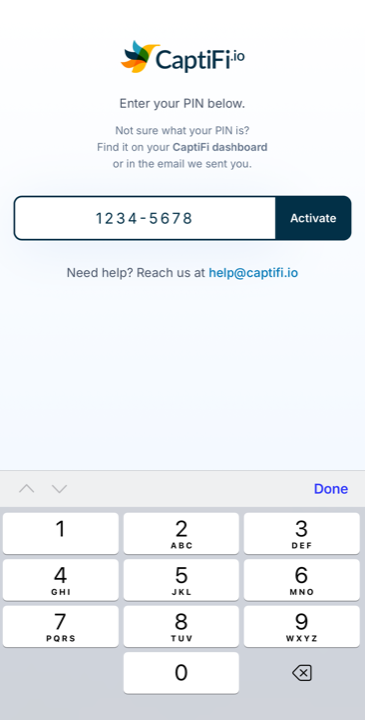
Enter your PIN
Once the light is solid purple, join the device's setup WiFi (CaptiFi Setup) and type the 8-digit PIN from your welcome email (it's always in your dashboard too). It links the device to your CaptiFi account on the spot. The light pulses blue while the device configures itself, then settles on solid green when your guest WiFi is live.
Guests connect
Your branded splash page goes live and every connection starts feeding your dashboard: emails, visits, reviews, return customers.
Typical time from opening the box to first guest connection: about 5 minutes.
What's in the box
Everything you need to go live, shipped to your venue with every plan.


The Access Point
Your pre-configured CaptiFi device, running our own software. Ceiling or wall mounted, or simply placed on a shelf.
2 Ethernet Cables
One connects your router to the PoE injector, the other runs from the injector to the device. Everything hooks together out of the box.
PoE Injector
Powers the device over its Ethernet cable from any normal plug socket. No PoE switch, no electrician.
Mounting Kit
Screws and wall plugs for a clean ceiling or wall mount. Mount it high and central for the best range.
Instructions
A simple step-by-step guide. You will probably not need it: most venues are live before the kettle boils.
Your Activation PIN
Not in the box, on purpose: your 8-digit PIN arrives by email and lives in your dashboard, so there is no card to lose.
Small box, serious coverage
Range is the thing owners notice first. One device, mounted high and central, covers a small café or an entire Airbnb on its own.
30-50m
Indoor range
100+
Simultaneous guests
Dual-band
2.4GHz + 5GHz
PoE
Injector included
CaptiFi OS
Runs our own software
5 min
Box to live WiFi
Indoor use. Bigger venue or outdoor areas? Use the WiFi kit you already own: CaptiFi works with UniFi, Omada, Meraki, Aruba and more.
Managed from your dashboard
Once the device is live you never need to touch it again. Everything is controlled from the same CaptiFi dashboard as the rest of your guest marketing:
- Change your WiFi network name in a click, no ladder required
- Update your splash page and see it live on the device instantly
- Watch guests connect in real time and build your email list
- Device health monitored by us, with remote fixes from support
Device questions, answered
Is it really plug and play?
Yes. The device arrives pre-configured to your venue. You connect your router to the included PoE injector, the injector to the device, plug the injector in, and once the light is solid purple enter the 8-digit PIN from your welcome email (also shown in your dashboard). The first time a new device is plugged in it installs a radio update by itself and restarts once, so wait for solid purple after that restart. No apps to install, no settings to change.
How much does the device cost?
It's included with every plan. We take a small refundable deposit that is refunded when you return the device, so the hardware effectively costs nothing. See pricing for the current deposit amount.
What if I already have UniFi, Omada or other kit?
Then you may not need our device at all: CaptiFi connects to UniFi, TP-Link Omada, Cisco Meraki, Aruba, MikroTik and more. See the hardware compatibility guide.
What range does it have?
Around 30-50 metres indoors depending on walls and building materials, which comfortably covers most small cafés, holiday lets and single-room venues from one central point. Mount it high and central for the best coverage.
What happens if something goes wrong?
A 10-second power cycle fixes most things. For anything else, our support team can see the device's health and fix it remotely, because it runs our own software. You never need to factory-reset anything yourself.
Your device could be in the post this week
Start your 30-day free trial, tell us where to ship, and go live the day it arrives. Cancel anytime.