Gmail and Yahoo one-click unsubscribe rules for venue email

From 1 February 2024 Google began holding anyone who sends large volumes to Gmail to a published set of sender requirements, and Yahoo published a matching list for its own mailboxes. This guide is for venues and groups that email the guests they collect at WiFi sign-in, and every figure in it comes from Google's Email sender guidelines, its FAQ, or Yahoo's Sender Best Practices as they read on 29 September 2026.
The rules in plain English, and who counts as a bulk sender
Google splits its guidelines into two tiers. Requirements for all senders asks every sender to "Set up SPF or DKIM email authentication for your sending domains", to use a TLS connection, and to "Keep spam rates reported in Postmaster Tools below 0.3%". Nothing in that tier depends on list size; it applies to a venue emailing 40 regulars.
The second tier, Requirements for sending 5,000 or more messages per day, opens: "Starting February 1, 2024, email senders who send more than 5,000 messages per day to Gmail accounts must meet the requirements in this section." It asks for SPF and DKIM together, a DMARC record where "Your DMARC enforcement policy can be set to none", From: alignment with the SPF or DKIM domain, and this: "Marketing messages and subscribed messages must support one-click unsubscribe, and include a clearly visible unsubscribe link in the message body."
Yahoo's Sender Best Practices lists the same items under Requirements for Bulk Senders: "Implement both SPF & DKIM", "Publish a valid DMARC policy with at least p=none", "Implement a functioning list-unsubscribe header, which supports one-click unsubscribe", "Have a clearly visible unsubscribe link in the email body", "Honor unsubscribes within 2 days" and "Keep your spam rate below 0.3%". Yahoo attaches no daily figure to the words bulk sender.
Does a single venue hit the threshold, and when does a group?
Google's FAQ describes a bulk sender as one "that sends close to 5,000 messages or more to personal Gmail accounts within a 24-hour period". The count is messages to Gmail, in one day. A single-site restaurant sending one or two campaigns a month to a few thousand guests, only some of them on Gmail, stays under it.
Two things change the arithmetic. The FAQ counts "all messages sent from the same primary domain", its example being 2,500 messages from solarmora.com plus 2,500 from promotions.solarmora.com, so a group sending one campaign for six venues from one domain on the same morning adds every site together. And the status sticks: "Bulk sender status doesn't have an expiration date. Email senders that have been classified as bulk senders are permanently classified as such."
The practical answer is to meet the bulk list whether or not you expect to cross it. Yahoo publishes no number, Google's wording is "close to 5,000", and its FAQ says that "Starting November 2025, Gmail is ramping up its enforcement on non-compliant traffic", with failing messages facing "temporary and permanent rejections".
Authentication: SPF, DKIM and DMARC through your own sending domain
SPF is a DNS record naming the servers allowed to send for your domain. DKIM signs each message with a key published in your DNS, so the receiver can confirm it was not altered. DMARC tells receivers what to do when both fail; at p=none it tells them to do nothing, the minimum both providers accept. Alignment means the domain after the @ in your From address is the one that passed SPF or DKIM.
Alignment is why sending as hello@yourvenue.co.uk through a platform's shared domain fails the bulk requirement: the From address is on your domain and the signature is on theirs. The fix is to authenticate your own domain with the platform.
In CaptiFi that is the first step under Email Marketing, Settings, on the Sender & domain tab. Set a From name and From address, click Save sender identity, and a table of DNS records appears: type, host and value, each with a copy button. Add them at your domain provider; the How to add these records section under the table covers Cloudflare, GoDaddy, Namecheap, 123-reg, Squarespace Domains and IONOS.
Records usually propagate within minutes and can take up to 48 hours, then Verify now marks each record Pass and the domain Verified; campaigns cannot be sent until it is. If someone else manages your domain, Email these instructions sends them the exact records with registrar tips and needs no CaptiFi login.
One-click unsubscribe: the header, the button and what CaptiFi does
The unsubscribe rule has two halves. The visible half is the footer link, which both providers require in the message body. The technical half is a pair of headers defined in RFC 8058: List-Unsubscribe, carrying an HTTPS address, and List-Unsubscribe-Post with the value List-Unsubscribe=One-Click. Google's FAQ adds that "Including a mailto link in the body of your messages doesn't meet our one-click unsubscribe requirement."
When both headers are present, Gmail, Yahoo Mail, Apple Mail and Outlook show an Unsubscribe button beside the sender's name at the top of the message. The guest sees no form; the mailbox sends the request itself. Google's FAQ recommends fulfilling requests "within 48 hours", Yahoo says "Honor unsubscribes within 2 days", and the FAQ limits the rule to "marketing and promotional messages", with transactional mail excluded.
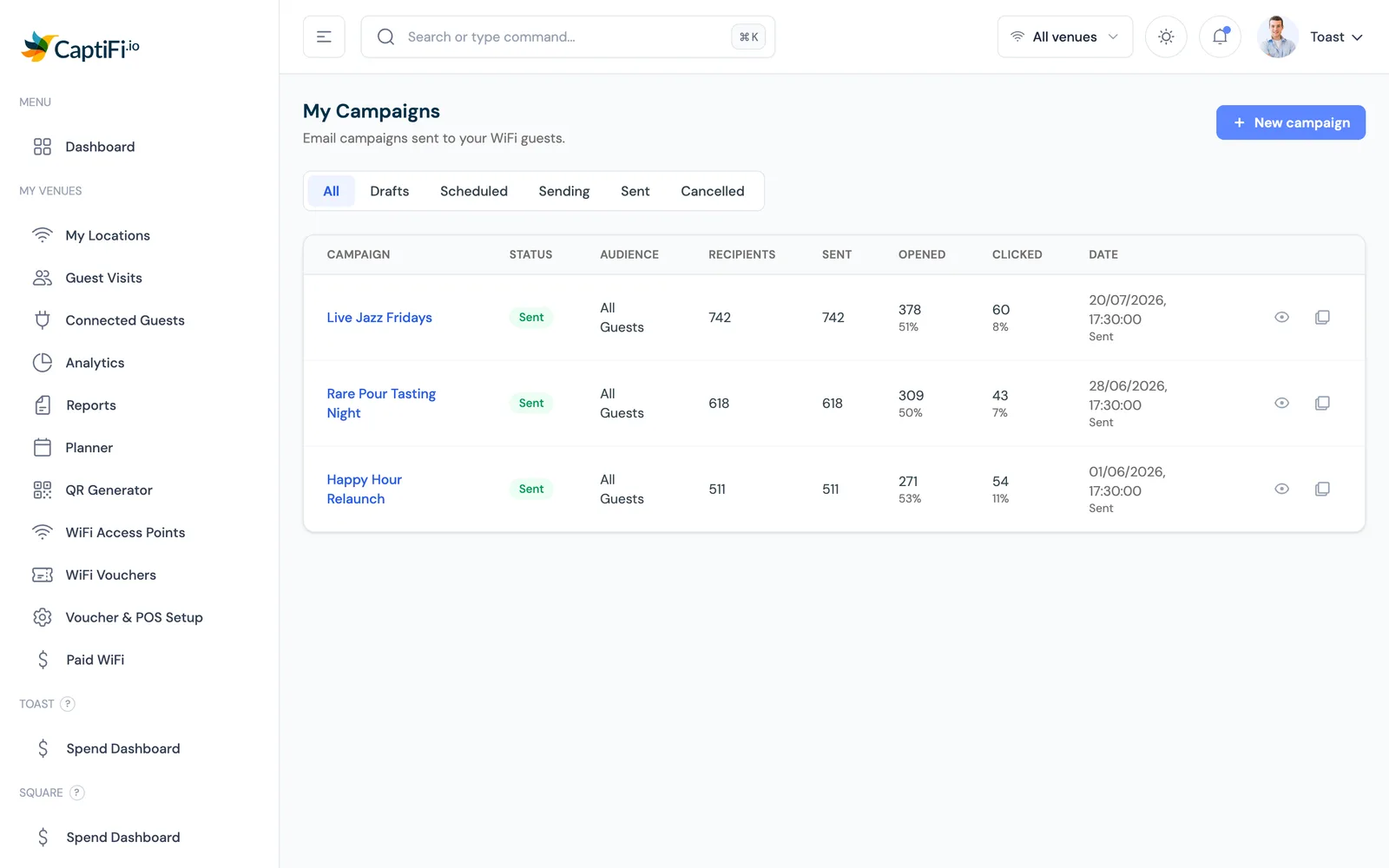
Every CaptiFi marketing email carries the footer link, and since August 2026 the one-click headers as well. Pressing Unsubscribe in Gmail, Yahoo Mail or any other mailbox that supports the standard opts the guest out at that moment, for every CaptiFi email that offers the button: venue campaigns, automations, review requests, and CaptiFi's own customer updates. The footer link keeps working alongside it.
Suppressions that follow the address
An unsubscribe that removes an address from one list fails the next time a different list emails the same person, and that is how a venue group collects complaints. In CaptiFi the opt-out applies everywhere at once: every venue on the account and every campaign, automation and review request. The address moves to the Suppressions tab under Email Marketing, Settings, and nothing on the account emails it again.
Hard bounces land on the same list automatically. A bounced address is also marked Bounced on the Guest Visits page and rejected if anyone tries to sign in to the WiFi with it again, so a dead address costs one send. Imports respect the list too: anyone who previously unsubscribed or bounced stays suppressed whatever the uploaded file says.
Google's FAQ says the user-reported spam rate is calculated daily. A guest who asked to leave and then hears from a sister venue is the likeliest person to report you.
Keeping complaints under the line
Who you email decides the rest. Google's Postmaster Tools guidance is stricter than the headline figure: "Keep spam rates reported in Postmaster Tools below 0.10% and avoid ever reaching a spam rate of 0.30% or higher."
Consent at sign-in comes first. CaptiFi campaigns and automations email only guests who ticked the marketing box on your splash page. The box is separate from the WiFi terms, nothing is pre-ticked, and the consent is recorded against the guest, the setup our guest WiFi GDPR checklist walks through.
Imported lists are where complaints come from: an old booking export is full of people who do not remember you. CaptiFi's import asks you to confirm permission when the file has no opt-in column and fires no welcome emails. Send an imported list its first message on its own and watch the result.
Frequency matters as much. CaptiFi's own guidance is one or two emails a month, with a warning that weekly or more drives unsubscribes. Automations are timed by the guest's own visits, a welcome after the first connection or a win-back after a chosen number of days away, go only to opted-in guests, and can be held to a sending window in the venue's time zone.
A deliverability checklist for venues
- Send from your own domain and verify it in CaptiFi before the first campaign; Verify now shows Pass against each record.
- Publish a DMARC record at your registrar, at p=none as a minimum.
- Carry a visible unsubscribe link and the RFC 8058 headers on every marketing email and honour each request within two days; CaptiFi does both automatically.
- Email only guests who opted in at sign-in, with the marketing box unticked by default.
- Treat an imported list as its own audience and confirm permission before uploading it.
- Register the domain in Google Postmaster Tools and Yahoo's Complaint Feedback Loop, and read the spam rate after each send.
- Running a group from one domain? Add up every venue's send before a shared campaign day; Google counts the primary domain as a whole.
Requirement by requirement: Gmail, Yahoo and CaptiFi
| Requirement | What Gmail checks | What Yahoo checks | What CaptiFi does for you |
|---|---|---|---|
| SPF and DKIM | SPF or DKIM for every sender; both above 5,000 messages a day | "Implement both SPF & DKIM" | DNS records generated when you save the sender identity; Verify now shows Pass per record |
| DMARC | A record for the sending domain; the policy can be none | "at least p=none", and it must pass | You send from your own verified domain, so the record you publish there is the one checked |
| From alignment | From: domain matches the SPF or DKIM domain | Same wording | Campaigns send from the From address on your verified domain |
| One-click unsubscribe | RFC 8058 headers on marketing mail; a mailto link in the body does not count | A functioning list-unsubscribe header; RFC 8058 POST recommended | Headers on every marketing email; the Gmail and Yahoo Mail buttons opt the guest out at the click |
| Visible unsubscribe link | Required in the message body | "a clearly visible unsubscribe link in the email body" | A footer link on every marketing email |
| Time to honour | "within 48 hours" recommended in the FAQ | "Honor unsubscribes within 2 days" | Applied at the click, across every venue |
| Spam rate | Below 0.3%; 0.10% advised, never 0.30% | "Keep your spam rate below 0.3%" | Only opted-in guests emailed; suppressions follow the address; bounced addresses rejected at sign-in |
Two requirements sit with the platform: whose domain the mail leaves from, and whether a guest can leave in one click. CaptiFi handles both. The complaint rate sits with you and starts at the consent box on your splash page, where building an email list from guest WiFi begins; the compliance and guest data capture pages cover that side.
Sources: Google, "Email sender guidelines" (support.google.com/a/answer/81126) and "Email sender guidelines FAQ" (support.google.com/a/answer/14229414); Yahoo Sender Hub, "Sender Best Practices" (senders.yahooinc.com/best-practices), all as read on 29 September 2026. Both providers revise these pages, so check the live text before relying on a figure. CaptiFi behaviour is as described in its customer documentation and July to September 2026 release notes.
Frequently asked questions
Quick answers to the most common questions about this topic.
What is one-click unsubscribe, and how is it different from the link in the footer?
Does a single restaurant or pub count as a bulk sender under Google's rules?
When does a venue group become a bulk sender?
Do I need DMARC to email my WiFi guests?
What happens in CaptiFi when a guest presses Unsubscribe in Gmail or Yahoo Mail?
Does an unsubscribe at one of my venues apply to my other venues?
What spam rate do Gmail and Yahoo allow?
How long does verifying a sending domain take in CaptiFi?
The CaptiFi Editorial Team writes about guest WiFi marketing, captive portals, GDPR-compliant data capture, and local SEO for venue operators. We base our recommendations on real customer outcomes and verified third-party reviews from G2.com.
Ready to turn your guest WiFi into a marketing engine?
CaptiFi captures customer data from every WiFi login, automates Google reviews and email follow-ups, and plugs into the tools you already use. Hardware included (refundable deposit), transparent pricing, 30-day free trial.