How Coffee Shops Use WiFi to Build Community
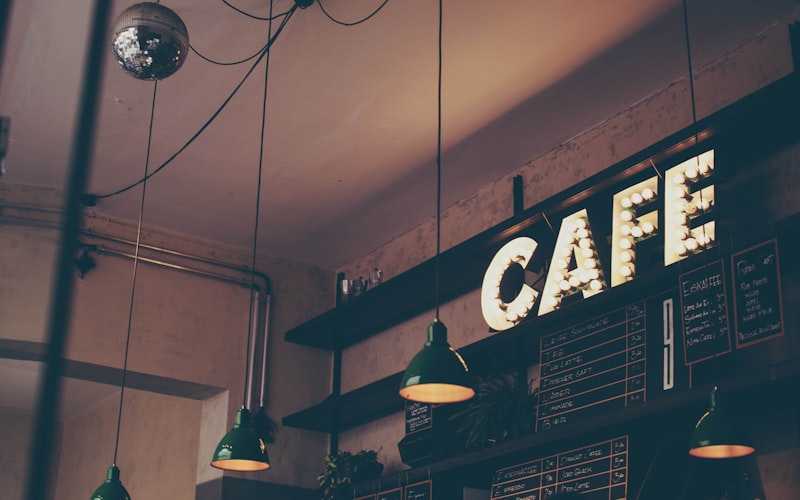
Every coffee shop offers free WiFi. It's table stakes - customers expect it. But almost every coffee shop treats WiFi as a pure cost: pay the ISP, stick the password on the chalkboard, move on.
The smartest café owners have figured out that free WiFi is actually the most powerful and cheapest customer-acquisition channel they have. The trick: replace the open password with a branded captive portal that captures an email address in exchange for WiFi access. No app. No loyalty card signup. No friction. Just "enter your email, get WiFi."
This guide shows how independent coffee shops and small chains use WiFi to build a loyal, reachable community - and the specific tactics that drive repeat visits, Google reviews, and event attendance.
WiFi isn't a cost - it's your cheapest marketing channel
Consider the cost of acquiring a customer through different channels:
| Channel | Cost per email/contact | Quality |
|---|---|---|
| Facebook/Instagram ads | £2.50 to £8.00 | Cold - never visited your café |
| Google Ads (local) | £3.00 to £12.00 | Intent-based but competitive |
| Loyalty card sign-up at till | £0 but 1 to 2% conversion | Warm but very few sign up |
| WiFi captive portal | A share of one subscription, falling as the list grows | Warm: already in your café |
At £49/mo for CaptiFi, the cost per contact falls as the list grows: in CaptiFi's venue data a typical venue gained around 50 new guest emails a month, and the busiest one in ten 350 or more. And these aren't cold leads: they're people who are literally sitting in your café right now.
How the capture flow works
The guest experience takes about 5 seconds:
- Customer opens their phone and taps "[Your Café] Free WiFi"
- A branded splash page appears - your logo, your colours, your message
- They enter their email (or tap "Sign in with Google" for one-tap access)
- WiFi connects immediately
Behind the scenes:
- The email lands in your CRM / marketing list with the guest's marketing consent recorded
- A welcome email sends within 5 minutes (while they're still sipping their latte)
- A Google review request sends 2 to 4 hours later
- A "we miss you" re-engagement email sends if they don't return within 21 days
All of this runs automatically. Set it up once, run it forever.
What the splash page should look like
For coffee shops, the splash page should feel warm and local - not corporate. Best practices:
- Your logo front and centre. Guests should know immediately this is your WiFi, not a third-party service.
- A simple value exchange. "Free WiFi - just enter your email" works better than "Subscribe to our newsletter."
- Social login option. "Sign in with Google" lifts opt-in rates from ~40% to 60 to 80%. One tap, no typing.
- Warm photography. A hero image of your actual café (not stock photos) builds trust.
CaptiFi's visual splash builder lets you design this in minutes with drag-and-drop - or go full custom with CSS. See the splash builder →
4 ways to build community from your WiFi list
Capturing emails is step one. The real community-building magic is what you do with them:
1. Weekly "what's new" email
A short, personal email every Friday afternoon: this week's new single-origin, Saturday's live music, the new pastry collab with the local bakery. Keep it to 3 to 5 sentences with one photo. Open rates for coffee-shop emails run 35 to 50% (much higher than retail averages) because the content is genuinely local and interesting.
2. Event invitations
Latte art workshops, cupping sessions, book clubs, open mic nights - email your WiFi list first with an "early access" window. This creates a VIP feeling that builds loyalty and attendance. Track RSVPs and you've got a repeat-visit mechanism that costs nothing beyond the event itself.
3. Seasonal menu launches
New summer cold brew? Pumpkin spice season? Email your list with a "first taste" invitation. Include a small incentive ("show this email for a free size upgrade this week"). This drives foot traffic during the exact period you're introducing new products.
4. Neighbourhood partnerships
Partner with the bookshop, gym, or yoga studio next door. Cross-promote to each other's WiFi-captured email lists (with consent). "Love [Your Café]? Get 10% off your first class at [Yoga Studio]." This builds a local ecosystem that benefits everyone and strengthens your position as a community hub.
Turn one-time visitors into regulars
The biggest ROI from WiFi-captured emails is repeat visit frequency. A customer who visits once per month and shifts to twice per month doubles their lifetime value - from ~£180/year to ~£360/year.
The "we miss you" automation
Set a re-engagement trigger: if a captured guest hasn't connected to WiFi for 21 days, automatically send a short email:
"Hi [Name], we haven't seen you at [Café Name] in a while! Pop in this week and your flat white is on us. Show this email at the counter."
Conversion rates for "lapsed customer" emails in coffee shops run 4 to 8%. On a list of 5,000, that's 200 to 400 re-activated visits per campaign - pure incremental revenue.
Birthday and anniversary emails
If your captive portal captures date-of-birth (optional field), birthday emails with a free coffee offer convert at 15 to 25% - the highest of any automated email type. CaptiFi supports custom form fields on every plan.
Automate Google reviews from your WiFi
For coffee shops, Google reviews directly drive new customer discovery. When someone searches "best coffee near me," the local pack ranks by review count, recency, and rating.
WiFi review automation asks each guest who accepted marketing to rate their visit a set time after they sign in (2 to 4 hours suits a café; CaptiFi defaults to 24 hours, and you can change it), and the same guest is asked again at that café only after 90 days. That means happy regulars get asked as well as anyone who would have gone looking for the review page anyway, and the requests keep coming without staff having to remember. How far it moves your rating and ranking depends on your café and your competition, so track both from the day you switch it on.
For the full breakdown, see our guide to automating Google reviews with guest WiFi.
The numbers: an illustrative café
This is arithmetic for a café with 150 daily visitors, treating every connection as a new guest, so read it as a ceiling: in CaptiFi's venue data from April to September 2026, a typical venue gained around 50 new guest emails a month, and the busiest one in ten 350 or more.
| Metric | Without WiFi marketing | With CaptiFi |
|---|---|---|
| Daily visitors | 150 | 150 |
| Emails captured per day | ~2 (till sign-up) | ~75 (50% capture rate) |
| Re-engagement emails sent | 0 | ~500/month |
| Re-activated visits per month | 0 | 25 to 40 |
| Incremental monthly revenue | £0 | £125 to £200 |
| CaptiFi monthly cost | - | £49 |
| Monthly ROI | - | 155 to 308% |
And that's before counting the value of Google review velocity, event attendance, and brand awareness from your weekly emails.
Getting started
If your café currently has a WiFi password on a chalkboard or printed on receipts, you're giving away free internet without capturing a single email. The fix takes about 5 minutes with the CaptiFi device, under an hour on your own controller:
- Start a 30-day free CaptiFi trial
- Included hardware ships to your café (or use your existing router)
- Plug it in, brand your splash page with your logo and colours
- Every WiFi connection now captures an email automatically
- Review automation, welcome emails, and re-engagement all run on autopilot
Your WiFi stops being a cost and starts being your community engine - from the first customer who connects.
Frequently asked questions
Quick answers to the most common questions about this topic.
How do coffee shops use free WiFi to build a community?
What does WiFi capture cost per contact compared with ads?
What should a coffee shop splash page look like?
What emails should a cafe send to its WiFi list?
How does a we-miss-you email work for a cafe?
How many Google reviews can a cafe expect from WiFi automation?
The CaptiFi Editorial Team writes about guest WiFi marketing, captive portals, GDPR-compliant data capture, and local SEO for venue operators. When we compare CaptiFi with another platform, we use that company's own website, with the date we checked it.
Ready to turn your guest WiFi into a marketing engine?
CaptiFi captures customer data from every WiFi login, automates Google reviews and email follow-ups, and plugs into the tools you already use. The CaptiFi device comes with every plan on a refundable deposit, prices are on the pricing page, and every plan has a 30-day free trial.