Guest tags and segments: a WiFi audience that is not everyone

A venue that collects guest details through its WiFi ends up with one list and one habit: emailing all of it. The monthly offer goes to the regular who was in on Tuesday and to the couple who came once in March, under the same subject line. Customer segmentation for restaurants and pubs means splitting that list by something you know about each guest, and CaptiFi gives you two tools for the job, tags and segments.
This guide covers what each one is, every condition a segment can use as of September 2026, five segments to build on day one and the three places a tag comes from, then what the guest count means and how segments feed recurring campaigns and workflows. If you are still growing the list itself, start with our guide to building an email list from guest WiFi.
Tags versus segments: a label versus a rule
A tag is a label on one guest's profile. "VIP", "match-day", "quiz team": it says nothing about how the guest earned it and stays until something removes it. It reaches the profile by hand, from a Planner day or from a workflow step, and a section below covers all three.
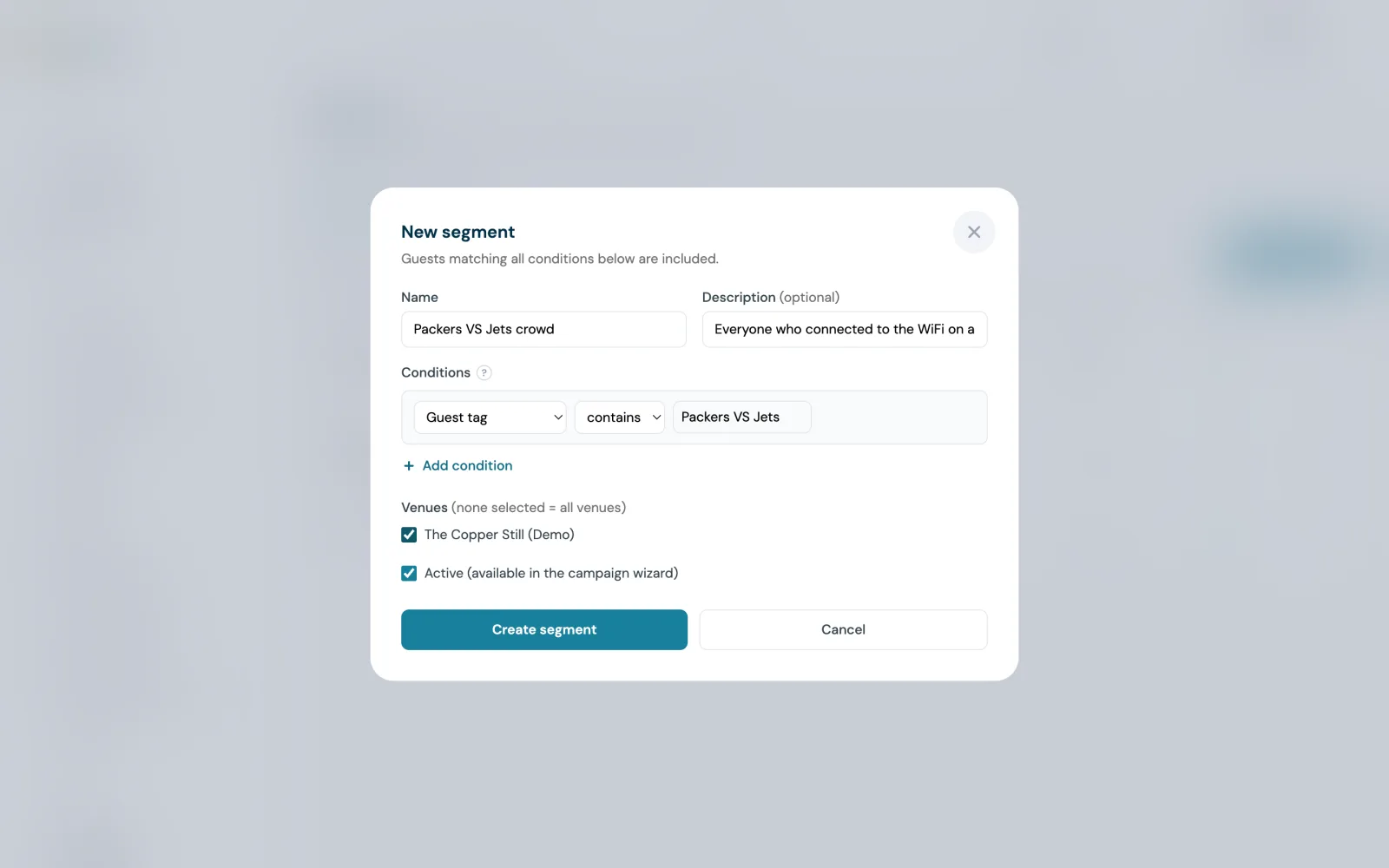
A segment is a saved rule. You name it, add conditions, and CaptiFi works out which guests match, shows an estimated count and offers the segment in the campaign wizard. Guests matching all the conditions are included, so a second condition narrows the audience. A segment covers the venues you tick; with none ticked it covers all of them.
The two meet because Guest tag is a segment condition. Matching is exact against the whole tag, so a segment for "VIP" never picks up a guest tagged "MVP". Tag a guest when you learn something about them; build a segment when you want to reach everyone that something applies to.
Every condition you can use
These are the segment conditions documented in the CaptiFi changelogs and customer guides as of September 2026. The four Rewards conditions apply to accounts running a Rewards programme.
| Condition | What it matches | Example |
|---|---|---|
| Guest tag | The whole tag, exactly, however it was added | Guest tag is "match-day" |
| Last visit | Most recent visit more than a chosen number of days ago, or within it | Last visit more than 60 days ago |
| How they joined | Connected to WiFi, Imported contact or Bought a ticket, with "is not" to leave a group out | How they joined is Imported contact |
| Bought tickets for an event | Any event, one event you pick, or any event in the last N days | Bought tickets for an event in the last 30 days, for a follow-up while the night is fresh |
| Attended a booking | Guests who attended a booking with you | Attended a booking, for a thank-you email after the visit |
| Points balance | A Rewards member's balance, compared with a figure you enter | Members either side of a line you pick |
| Rewards tier | The tier the member currently holds | Rewards tier is your top tier |
| Rewards member | Yes or no | Rewards member is no, for a join-the-programme email |
| Has an unused reward | Yes or no | Has an unused reward is yes, for a reminder before it lapses |
| Venues | Which of your venues the segment covers; none ticked means all | One venue ticked for a single-site offer |
Conditions stack. Guest tag is "match-day" plus Last visit more than 30 days ago picks the fans who came in for a fixture and have not been back since. Each segment also has an Active option; only active segments are offered in the campaign wizard.
Five segments every venue should have on day one
None of these need a tag. They run on what the WiFi sign-in and your imports already record.
| Segment | Condition | What to send it |
|---|---|---|
| Lapsed guests | Last visit more than 60 days ago | A win-back offer. The We Miss You starter in the template library is the win-back design. |
| Seen this month | Last visit within 30 days | Next month's events and menu changes. |
| Imported list | How they joined is Imported contact | The first email to a list from a booking system or a till, so its results are read on their own. |
| Ticket buyers | How they joined is Bought a ticket | The next event announcement, whether or not they have used the WiFi. |
| WiFi guests | How they joined is Connected to WiFi | A thank-you or a review request: anything that assumes a visit. |
Sixty days is the figure the CaptiFi changelog uses for its own win-back example, and the Come back after 60 days automation preset draws the same line. The automation picks up each guest as they pass it; the segment gives you the whole group at once for a campaign. The customer guide says a win-back offer for lapsed guests beats a blast to everyone, and that one or two emails a month is the guideline.
Tagging by hand, by Planner day, by workflow step
By hand
Open a guest's profile and add the tag. This suits what a person notices and software does not: the group that books the function room every Christmas, or the guest who asked whether you do a vegan roast. Imported contacts can arrive tagged too. The import wizard maps a Tags column from your file, comma or semicolon separated, up to 10 tags per contact.
By Planner day
The Planner's fourth WiFi automation is Tag guests who connect. Schedule a window, a single day or every week for a season, and a tag, and every guest who connects during it gets the tag on their profile, first visit or return visit. You switch it on from the WiFi automation section of any calendar event. It is built for recurring local events: a venue next to a stadium tags everyone who connects on a home-game day, then builds a segment on that tag and emails or texts the crowd before the next fixture.
By workflow step
In Workflows, Add a tag and Remove a tag are two of the actions a journey can take, and Tag added or removed is one of the starts. A journey can tag a guest who clicked the tasting menu email, wait until they book or a time limit passes, and remove the tag when they do. The If a field matches step branches on Guest tags with twelve comparisons, from is to contains to is empty.
Counting guests, not visits: what the estimate means and when it refreshes
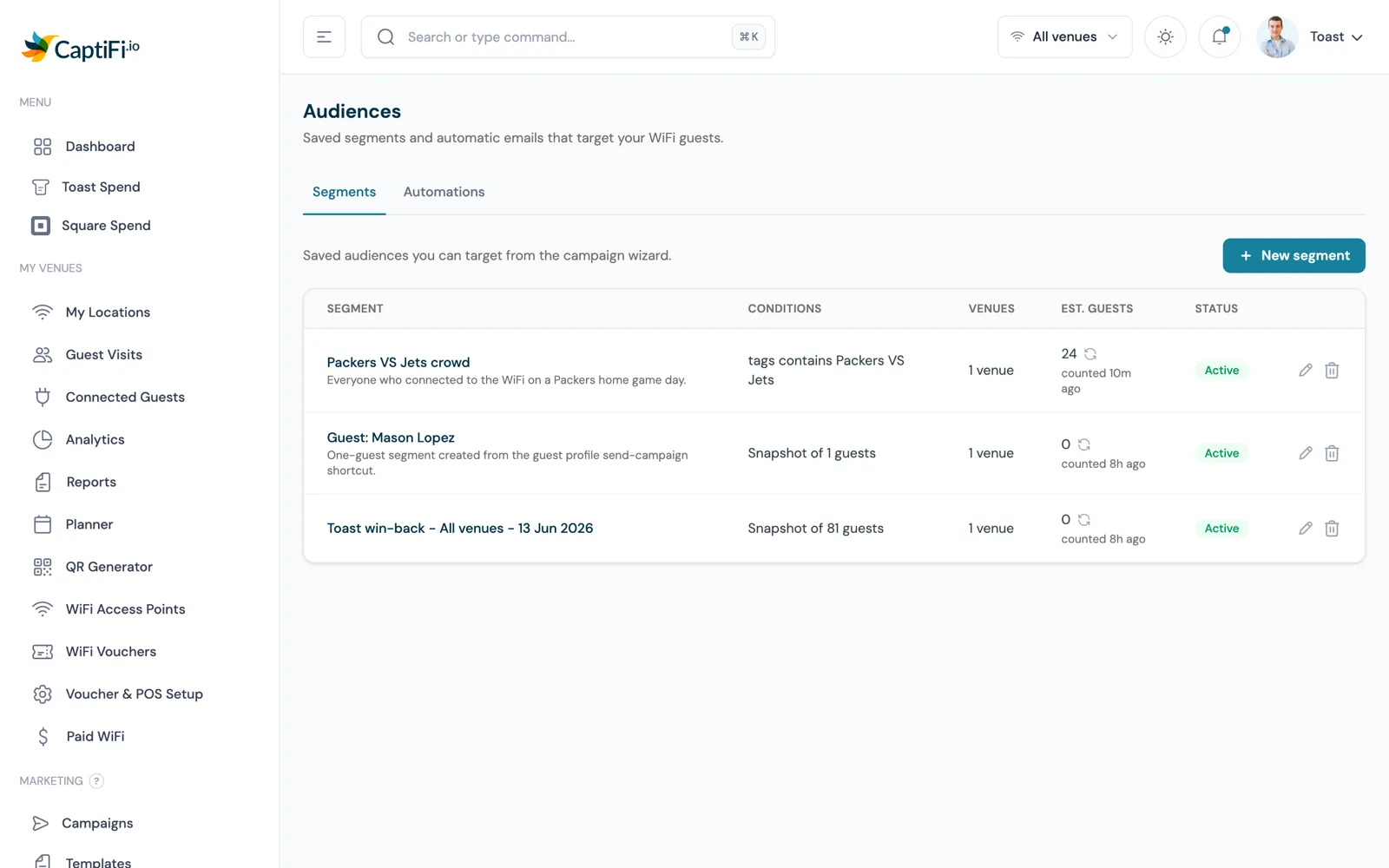
Each row under Email Marketing, Audiences, Segments shows the segment's conditions, the venues it covers and an estimated guest count. The figure counts guests, not visits: somebody who connects every week is one guest, not fifty. A guest is recognised by email address, or by phone number when your splash page collects a number instead of an email.
Because a guest may have no email address on file, the figure includes people you cannot email yet. A phone-only splash page can produce a segment of 40 guests that an email campaign reaches nobody in; those guests are reachable by SMS. The campaign wizard shows the true email recipient count when you pick a segment; trust that number before you send.
The count refreshes when you create or edit the segment, automatically every night, and when you click the refresh arrow next to it. Each row shows how old its figure is, "counted 3h ago" for instance. A refreshed count that does not change means no new guests match; nothing is wrong.
Imported contacts as their own audience
Import contacts takes a CSV, TSV, Excel or OpenDocument file of up to 20 MB and 100,000 rows, with an email column required. CaptiFi keeps imported contacts apart from WiFi guests: they appear marked Imported, they never show as venue visits, and they are left out of everything that measures footfall on the analytics dashboard, including your plan's monthly guest allowance. An import of 5,000 old contacts does not make it look as though 5,000 people walked through the door.
They count in campaign audiences, segments and your monthly email allowance like any other contact. How they joined set to Imported contact turns the upload into its own segment, so its first email runs alone and its opens and clicks stand on their own. Set it to "is not" Imported contact and the same list stays out of anything that assumes a visit.
Consent travels with the file. An opt-in column is honoured row by row, rows without a clear yes are imported unsubscribed, and with no opt-in column you confirm permission before the import runs. An address that has unsubscribed, bounced or complained anywhere in CaptiFi stays unsubscribed whatever the file says. If an imported contact later connects to your WiFi, that visit appears on their profile from then on.
Ticket buyers and Rewards members as segments
How they joined has a third choice, Bought a ticket. It reaches guests who bought a ticket or RSVPd to one of your events, whether or not they have ever connected to your WiFi, and "is not" leaves them out. A guest who bought a ticket and later connected matches both choices.
Rewards adds four conditions: points balance, rewards tier, rewards member yes or no, and has an unused reward yes or no. Tiers are worked out from the points a member earned in the last twelve months, and a tier is kept for twelve months from the day it was reached, so a top-tier segment does not empty out mid-year. A campaign to any of these segments can carry a reward offer: each guest who receives the message gets one reward minted against it, a resend never mints a second, and previews and test sends mint nothing. The Rewards page covers the programme itself.
Segment entry as a workflow trigger
A segment is also a start. Guest enters a segment is one of the guest moments that can begin a workflow, alongside Guest connects, Guest returns, Birthday and Tag added or removed. The lapsed-guests segment from earlier therefore does two jobs: it is a campaign audience, and it starts a journey on the day a guest qualifies, one that can send the win-back email, wait until they return or a time limit passes, then add a tag on the way out.
Segments appear inside a journey too. Two of the six named branch conditions are In a saved segment and Matches a segment's conditions, so one branch can send top-tier members one email and everyone else another. Publishing pins a numbered version, and a guest already in a run finishes on the version they started, so editing a segment-triggered journey never moves anyone mid-sequence. Workflows is on the Pro plan and above.
Recurring campaigns to a moving segment
Because a segment is a rule, its membership moves: guests cross the 60-day line, a home-game day adds tags, an import lands. A one-off campaign reaches whoever matches on the day it sends. A recurring campaign reaches everyone who drifts into the audience afterwards. It repeats daily, weekly or monthly until a date you choose, emailing each guest only once unless you say otherwise, so a "come back and see us" email reaches each lapsed guest once, when they qualify.
The wizard shows the sends per run and per month against your allowance before you confirm, and My Campaigns shows the next run and how many runs have gone out, with a button to stop repeating. If the campaign carries a reward offer, each run mints a fresh reward within the offer's own limits. Email marketing is included on the Growth plan and above; the automated marketing page lists the triggers and presets that sit alongside it.
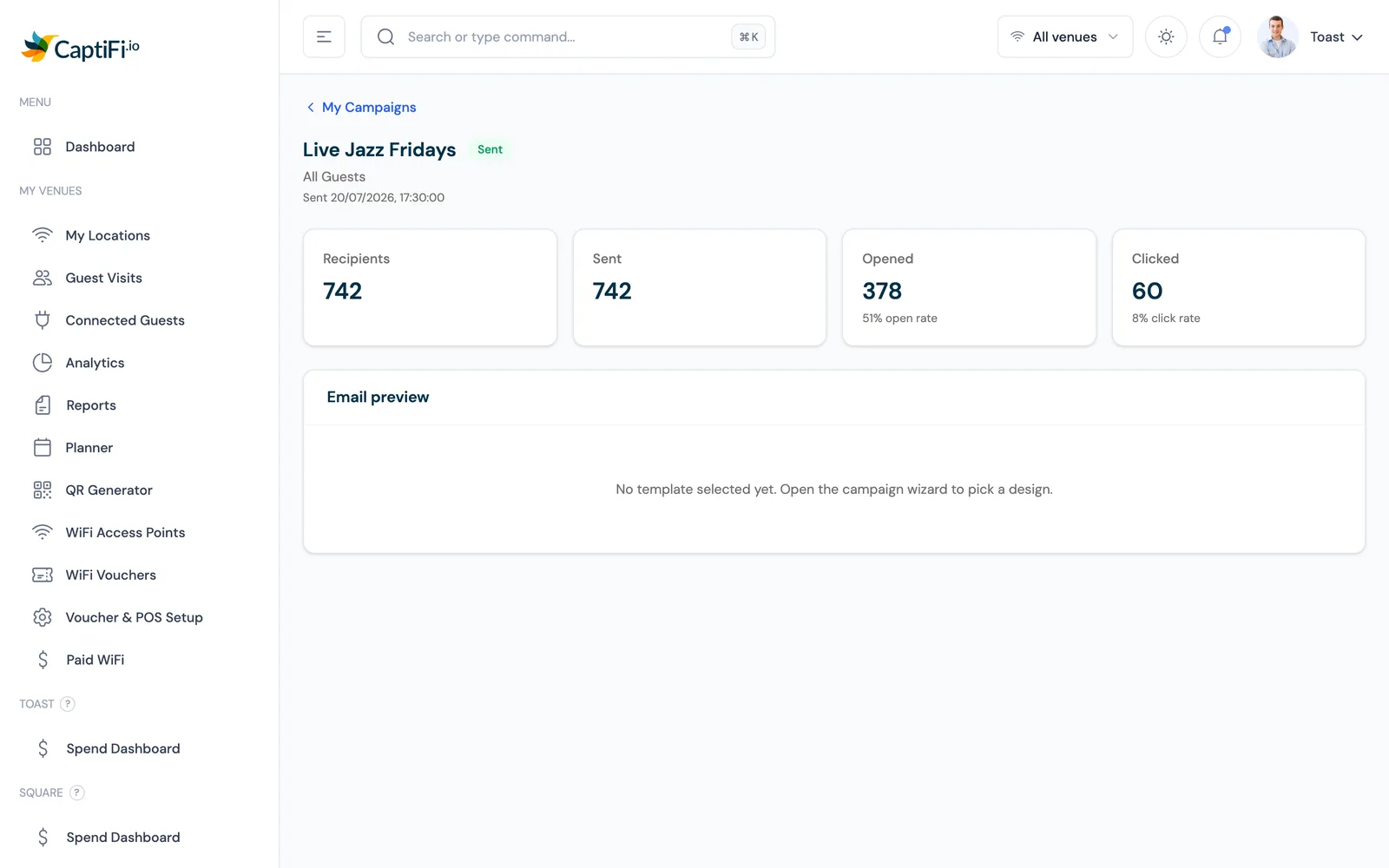
Start with the five segments above, tag your first busy day in the Planner, and read the counts a week later. Then send one campaign to a single segment and compare its opens and clicks with your last send to the whole list. Start the free trial.
Sources: the CaptiFi What's New page (September 2026: Target guests by tag in a campaign; Tag guests who connect on a given day); the CaptiFi release notes of 14, 15 and 18 September 2026 (segments by last visit and how they joined, recurring campaigns, ticket buyers in a segment, Rewards conditions and tiers); the customer guides Email Marketing & Campaigns and Import Existing Contacts; and the Automated Marketing and Workflows feature pages on captifi.io. Product behaviour is as documented on 29 September 2026.
Frequently asked questions
Quick answers to the most common questions about this topic.
What is the difference between a guest tag and a segment in CaptiFi?
How do I segment restaurant customers by their last visit?
Does a CaptiFi segment count visits or guests?
Can I email imported contacts separately from WiFi guests?
How do I tag everyone who visits my venue on a match day?
Can a segment target ticket buyers or Rewards members?
Can a campaign keep sending to a segment as new guests join it?
Which CaptiFi plan includes segments, campaigns and workflows?
The CaptiFi Editorial Team writes about guest WiFi marketing, captive portals, GDPR-compliant data capture, and local SEO for venue operators. We base our recommendations on real customer outcomes and verified third-party reviews from G2.com.
Ready to turn your guest WiFi into a marketing engine?
CaptiFi captures customer data from every WiFi login, automates Google reviews and email follow-ups, and plugs into the tools you already use. Hardware included (refundable deposit), transparent pricing, 30-day free trial.