Apple and Google Wallet Loyalty Passes for Pubs and Restaurants

Most pub and restaurant loyalty schemes fail at the same point: the guest has to remember something. A stamp card lives in a coat pocket until it goes through the wash, and an app has to be downloaded, signed up for and found again on a phone full of other apps. A pass in Apple Wallet or Google Wallet takes that job off the guest, and this guide covers how CaptiFi Rewards puts a loyalty card, each reward and each event ticket into those wallets.
Why loyalty apps fail in hospitality and stamp cards get lost
A loyalty app asks a lot of a guest for a free coffee or a tenth pint. They download it, make an account and then remember to open it before they pay, and each step loses people. The app also keeps its own member list, so the guest who joined it is a stranger to your WiFi marketing.
A stamp card has the opposite problem. Nothing to remember at sign-up, then everything to remember afterwards: it gets left at home, goes through the wash or turns up full after the offer has expired. Staff cannot check one either, so the same reward gets honoured twice and nobody knows.
A wallet pass sits between the two. There is no app of yours to install and no card to carry, and the pass updates itself. Its QR code is the one staff scan from the hosted reward page.
What a wallet pass shows
CaptiFi Rewards issues two kinds of pass. The member card is the loyalty card, one per member, with the points or stamps balance as the main figure and the member number under it. On Apple Wallet the card also shows the tier when the member holds one, and the member's name and join date beneath the balance; on Google Wallet it shows the points balance and the member number.
The reward pass is a coupon, one per reward. On Apple Wallet it shows the offer, its code and the time it is valid until in the venue's own time; on Google Wallet it shows the code and the expiry. Both kinds carry the same QR code as the hosted page they came from, so staff scan a wallet pass exactly as they scan the page.
The passes carry your branding. Apple Wallet passes show your logo at the top of the card and as the pass icon, taken from your splash page logo or the logo set on your programme, on your programme's colours; Google Wallet passes pick up the same logo when it is a PNG or JPEG. An Apple pass can no longer be shared from one phone to another.
How a guest gets one
Joining happens on the WiFi sign-in form. At a venue with a live Rewards programme the form shows a Join checkbox, separate from the marketing consent box, on the standard splash, the lightweight captive sheet and the new sign-in flow alike; a programme set to join every guest on connect shows a sentence instead. Ticking the box makes the guest a member, credits the visit, pays any sign-up bonus once and issues the venue's on-connect offer.
The reward travels by email, or by text for a guest who gave only a phone number at a programme that pays for texts, with the code and a link to a hosted reward page showing the QR code, the code, the offer, the venues that honour it and when it expires. A second hosted page shows the member their balance, the rewards waiting and their recent activity. The splash itself shows only the offer's name and a masked address, never a code, QR code or link.
The Add to Apple Wallet and Add to Google Wallet buttons sit on those two hosted pages, side by side: one tap on the reward page adds the reward as a coupon pass, and one tap on the rewards account page adds the member card. From then on the guest does not need the email or text to hand.
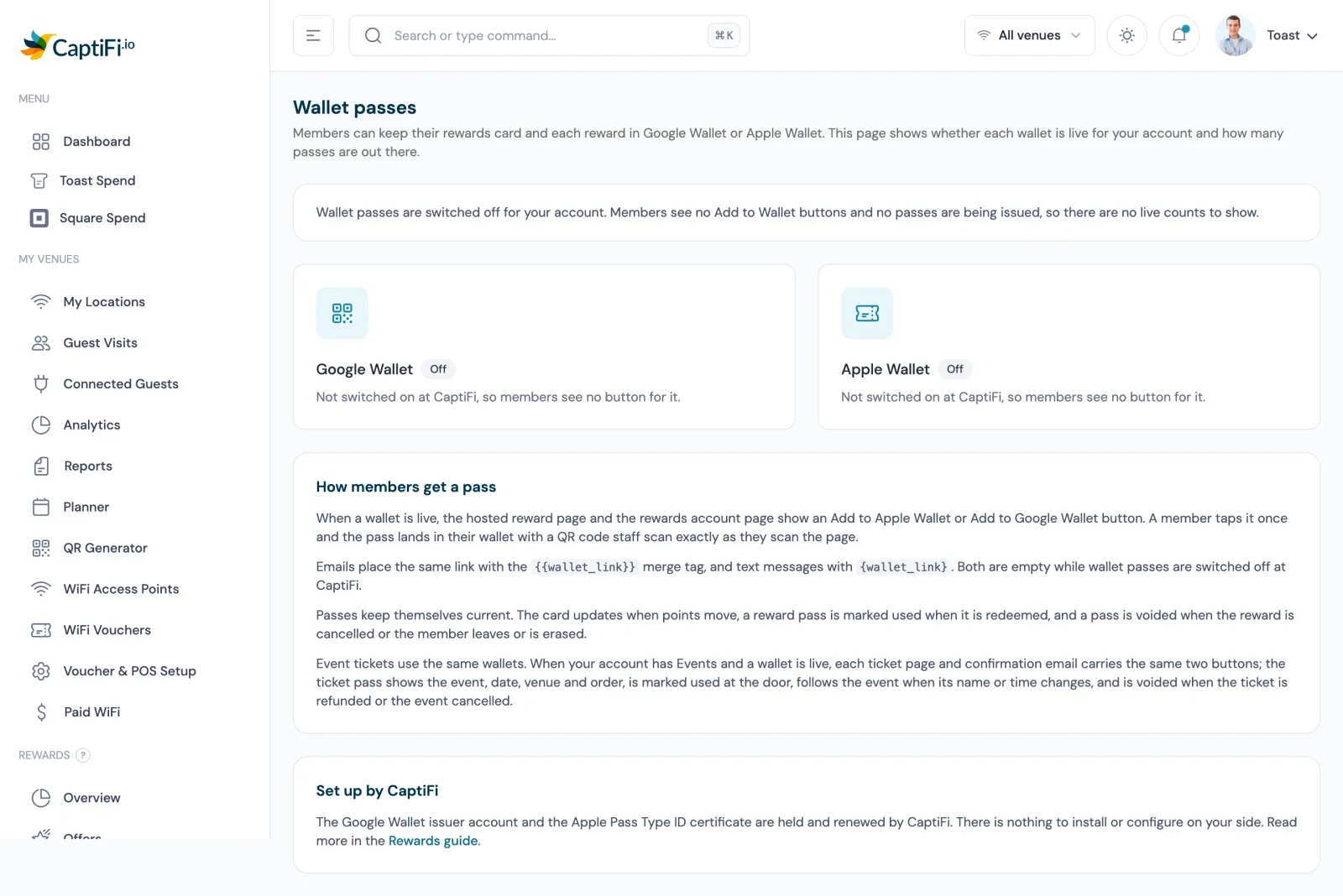
Apple Wallet passes are issued to guests now. Google Wallet passes go live for guests once Google approves the issuer account; until then they show for the account's own test users only. The Wallet passes page under Rewards on my.captifi.io reports whether each wallet is on for your account, when the Apple signing certificate expires, and how many passes and phones there are.
Passes that update themselves
A pass follows the rewards record behind it, with nothing needed from the member or from staff. When the points balance moves, up or down, the card follows; when a reward is used the pass is marked used, and on Google Wallet the phone also gets a note saying where and when. When staff cancel a reward the pass is marked void, and when a venue cancels a redemption the pass says so.
When a member leaves the programme or their data is erased, their card and rewards are marked void on Apple Wallet and go inactive on Google Wallet. Erasing a guest also detaches their membership, voids any reward still waiting to be sent and kills every link they were sent.
Tickets in the wallet
The same wallets carry event tickets. Once a venue's account has Events and a wallet is live, buyers can add each ticket to Apple Wallet or Google Wallet from the ticket page, the order page and the confirmation email. The pass shows the event, the date and doors time in the venue's own time, the venue and its address, the ticket type, the holder's name, the order number and the QR code the door scans, so it admits exactly like the ticket page.
A ticket is marked used on the phone when it is checked in at the door and comes back if the check-in is undone, and when an event is renamed, moved or cancelled every pass for it updates. Venues see which passes a buyer holds on the ticket order page. The events and ticketing page covers the events page, the ticket types and door check-in from a phone.
Redeeming at the bar
Every reward is single use, and a wallet pass changes nothing about how staff honour it. On the Redeem screen, staff scan the QR code on the pass or type its code; the code is marked used the moment it is redeemed, and a second attempt shows when, where and by whom it was first honoured. The same scan lookup recognises an event ticket.
A bar or market trader with no device of their own uses the guest's phone. The guest opens their reward page, taps Staff: redeem with PIN, picks the venue if the reward is good at more than one, and the trader types their terminal PIN, with their initials if they want them on record. The page turns to Redeemed with the reference and the terminal's name, and the redemption sits on that terminal's line of the Settlement report as Trader PIN.
Five wrong PINs lock that one reward for an hour and the page tells the guest to ask staff to scan it instead; other guests' rewards are unaffected. Repeated wrong PINs across many rewards at one venue pause PIN redemption there for an hour, and staff can still scan or type the code.
Points for spend, tiers and the birthday bonus
Members earn points for visiting and for what they spend at the till. Orders from your Toast or Square connection that match a member are credited automatically, once per order, at the rate you set; Toast does not report an order's currency, so the venue's own is assumed, and a Square order in a different currency is left alone.
Tiers work from the points a member has earned in the last twelve months. Set up to five tiers, each with a threshold and an optional earning multiplier, and members move up as soon as they qualify. A tier is kept for twelve months from the day it was reached, so nobody drops a level mid year.
Members with a birthday on file get the birthday bonus at 08:00 local time on the day, once a year, and an offer can be issued on the birthday as well as when a guest joins. Points untouched for twelve months, or the window you choose, expire in one line on the member's history, so balances reflect people who still come in.
Running Leat alongside
Venues already on Leat keep it. A venue in a live Rewards programme still gets its Leat contacts created on sign-in; Leat stops awarding the credits, the member earns them in Rewards, and the venue can choose to mirror the points it awards into Leat as credits. The Leat integration page covers what the connector syncs, and the CaptiFi and Leat comparison sets out the differences.
What it costs and which plan
Rewards is included on the Growth plan and above, and the wallet passes are part of it. The Google Wallet issuer account and the Apple Pass Type ID certificate are held and renewed by CaptiFi, so there is nothing to install or configure on your side. Growth is $129 a month on the pricing page, shown in your currency.
One programme covers every venue on your account and one member record follows the guest between them, so a group with three pubs runs one card. The account owner switches it on from the Rewards & Offers card under Integrations, then sets the programme up under Rewards, Setup. The pubs page covers the rest of what CaptiFi does for a pub.
App, plastic card and wallet pass compared
| Question | Loyalty app | Stamp or plastic card | Wallet pass with CaptiFi Rewards |
|---|---|---|---|
| Getting started | Download, account and sign-in before the first stamp | Handed over at the bar | Tick Join at WiFi sign-in, then one tap on Add to Wallet |
| Balance | Inside the app | Ink stamps, no running total | Points or stamps balance on the card, updated when points move |
| A reward already used | Depends on the app | Cannot be checked, so the same reward can be honoured twice | Marked used the moment it is redeemed; a second scan shows when, where and by whom |
| Redeeming | Usually the vendor's own scanner or staff app | Stamp it | Scan the QR code, type the code, or a trader PIN on the guest's phone |
| Member list | The app vendor's list, apart from your WiFi guests | None | The same guest record as your WiFi sign-in, campaigns and segments |
| Event tickets | Not usually part of a loyalty app | None | The same wallet, marked used at the door |
| Branding | The vendor's app | A print run | Your logo and your programme's colours |
The pass wins on the two things that sink the other formats. The guest does nothing to get it beyond the WiFi sign-in they were doing anyway, and it stays correct without anyone checking it.
Sources: CaptiFi release notes of September 2026 for Rewards wallet passes (Apple Wallet, Google Wallet, ticket passes and venue logos), Rewards guest surfaces, points accrual, tiers and Leat, and trader PIN redemption; the CaptiFi loyalty and rewards and events and ticketing feature pages. Google Wallet passes show for the account's own test users until Google approves the issuer account. Correct at the time of writing, September 2026.
Apple Wallet is a trade mark of Apple Inc. Google Wallet is a trade mark of Google LLC. CaptiFi is not affiliated with or endorsed by either.
Frequently asked questions
Quick answers to the most common questions about this topic.
Can a restaurant loyalty card go in Apple Wallet?
Is the Google Wallet loyalty pass live?
Does the guest need to download an app to join the loyalty programme?
How do staff redeem a wallet pass at the bar?
What happens to the pass when a reward is used or a member leaves?
Can event tickets go in Apple Wallet and Google Wallet too?
How do members earn points for what they spend?
Which plan includes wallet passes, and can I keep Leat?
The CaptiFi Editorial Team writes about guest WiFi marketing, captive portals, GDPR-compliant data capture, and local SEO for venue operators. We base our recommendations on real customer outcomes and verified third-party reviews from G2.com.
Ready to turn your guest WiFi into a marketing engine?
CaptiFi captures customer data from every WiFi login, automates Google reviews and email follow-ups, and plugs into the tools you already use. Hardware included (refundable deposit), transparent pricing, 30-day free trial.