
Reviews integration
TripAdvisor Reviews + CaptiFi
Prompt happy WiFi guests to review you on TripAdvisor, on its own or alongside Google, with no API key needed. Hardware included, 30-day trial.
Prompt happy WiFi guests to review you on TripAdvisor, on its own or alongside Google, with no API key needed. Hardware included, 30-day trial.
The TripAdvisor Reviews integration points your automated review requests at TripAdvisor, on its own or alongside Google. Paste your venue's public TripAdvisor listing URL, choose where happy guests should land, and the same review request email and text message your guests already receive start routing them to TripAdvisor when their rating meets your Minimum stars for a public review. No TripAdvisor account connection and no API key are needed.
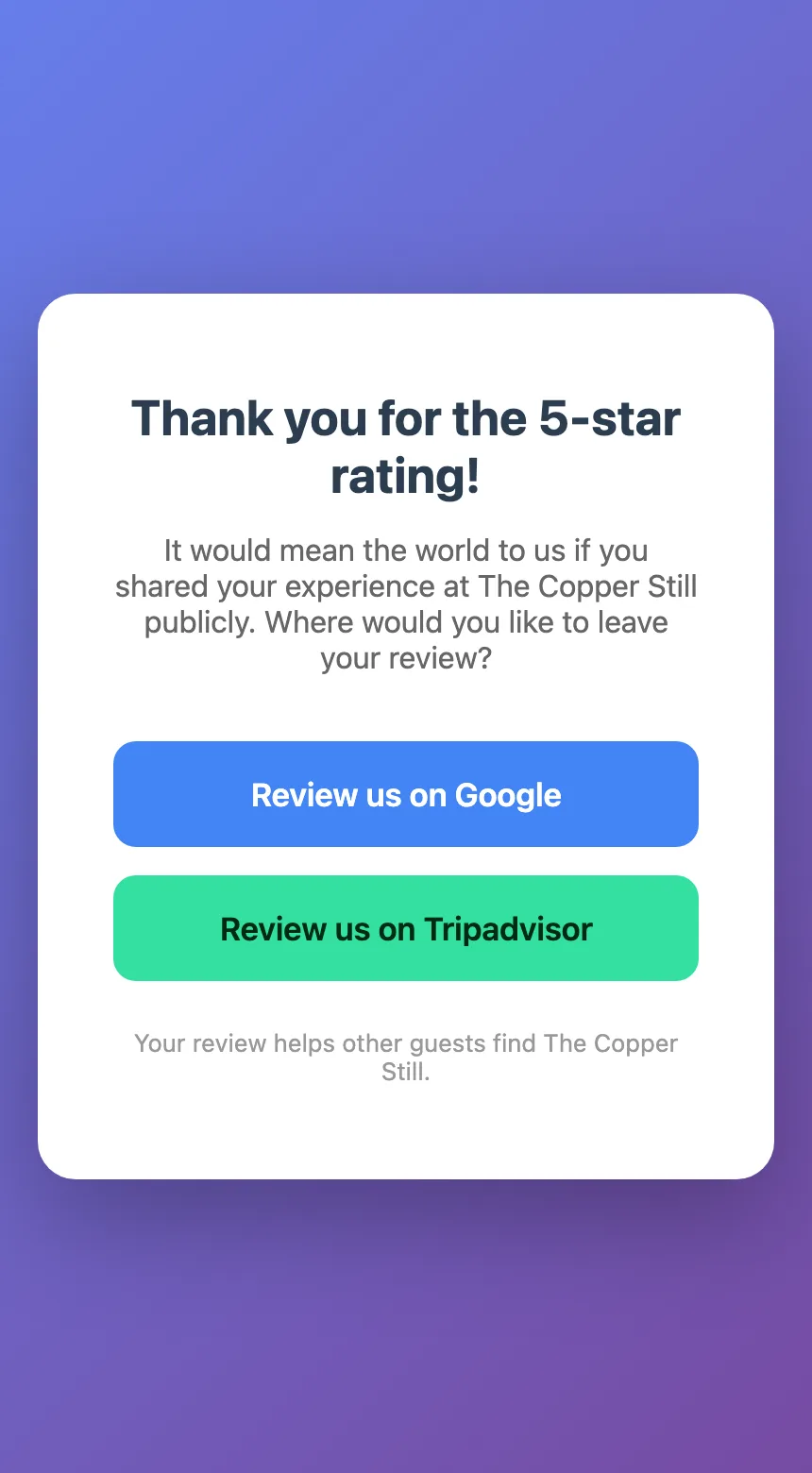
You choose the destination per venue: TripAdvisor only, or a branded choice page that lists every review platform you have set up (Google, TripAdvisor and, if you add it, Yelp) so the guest picks. Lower ratings open the private feedback form, with the public review links kept visible, so every guest stays free to post publicly whatever their rating, and the rating and any comment reach you by email.
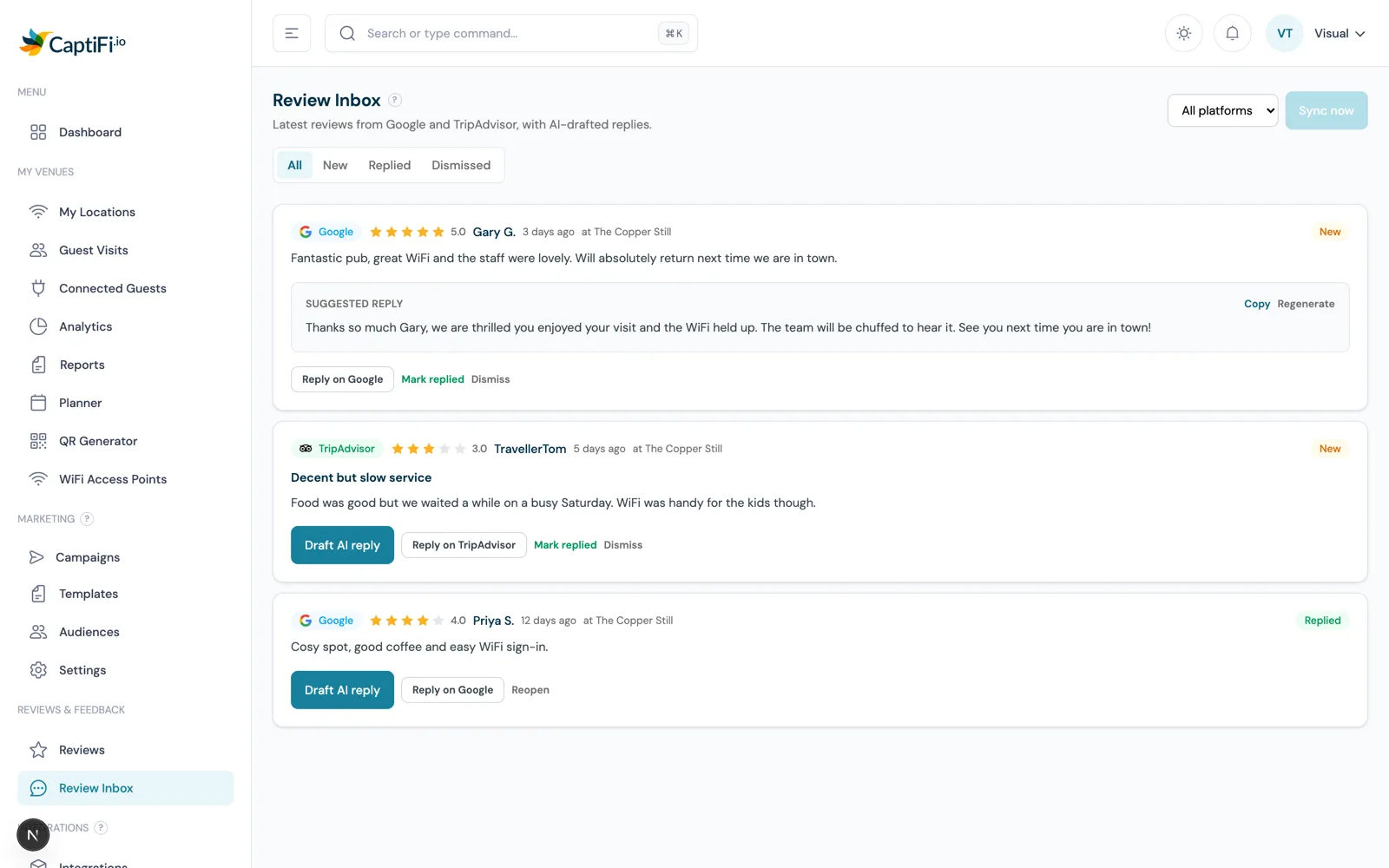
TripAdvisor reviews also flow into the Review Inbox alongside Google, where CaptiFi drafts a suggested owner reply for each with AI and deep-links you to the TripAdvisor Management Center to post it. For hotels, guesthouses and restaurants whose bookings live on TripAdvisor, review recency there translates directly into visibility and bookings.
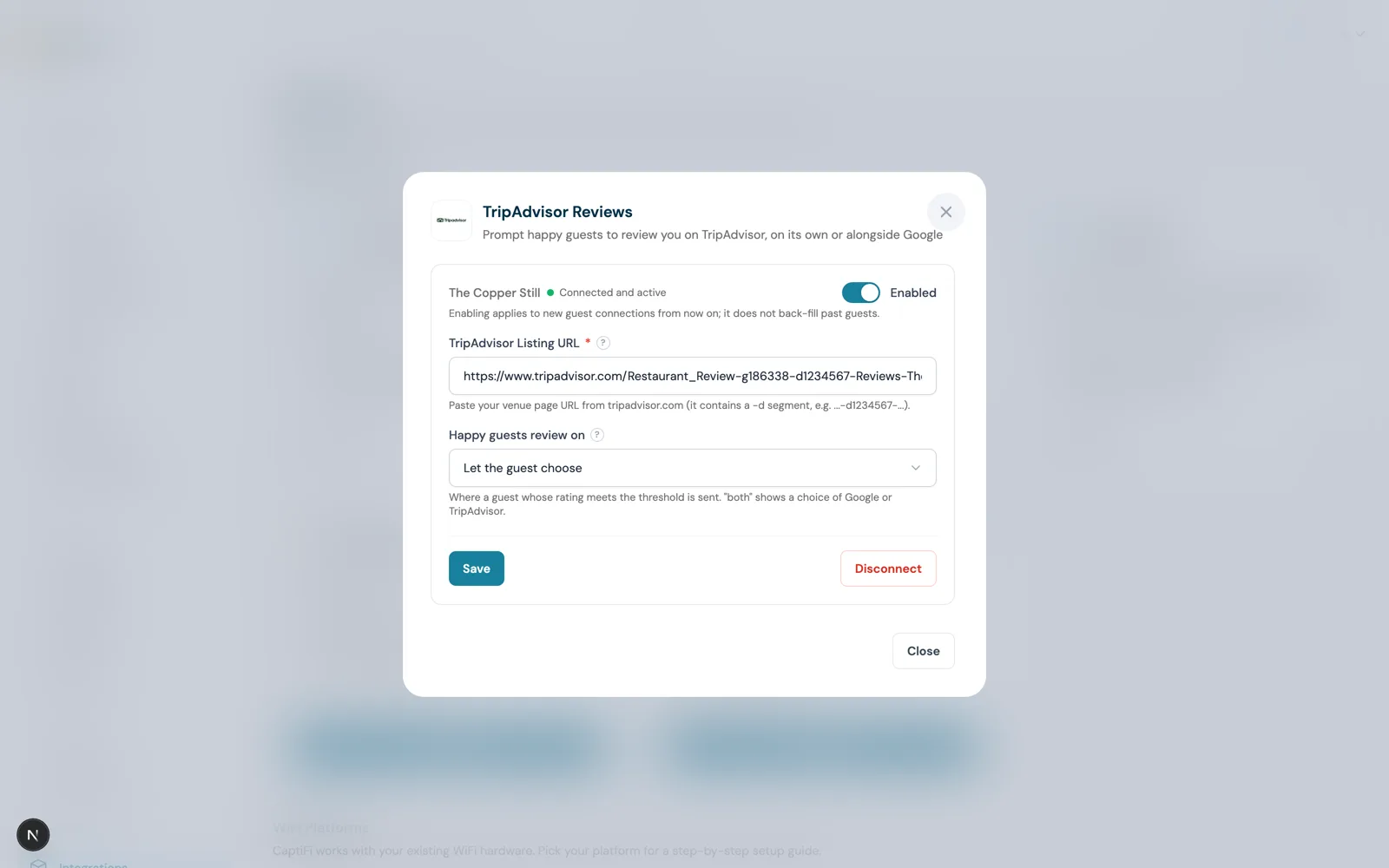
One pasted listing URL is the whole connection. There is no TripAdvisor login, no API key and no approval process; guests are simply routed to your public listing to write their review.
The branded choice page offers a button for every review platform you have set up, Google and TripAdvisor and Yelp if you add it, so you grow each profile from one review request instead of splitting it into separate campaigns.
The review request email and text message do not change. The link routes each guest once they rate their visit, so switching platforms never needs a template edit.
TripAdvisor reviews appear in the Review Inbox with AI-drafted replies ready to copy, and a deep link to the TripAdvisor Management Center to post them.
Open the TripAdvisor Reviews card on the Integrations page and paste your venue page URL from tripadvisor.com. It contains a "-d" segment such as -d1234567- and you can copy it straight from your browser.
Pick TripAdvisor only, or let the guest choose on a branded page that lists every platform you have set up, Google and TripAdvisor and Yelp if you add it. Google only remains the default if you change your mind later.
New TripAdvisor reviews sync into the Review Inbox daily. Generate an AI reply draft, copy it, and post it via the Management Center deep link, then mark the review replied.
Step by step, with screenshots.
A guesthouse whose bookings come through TripAdvisor points happy guests straight there, and uses the Review Inbox each morning to post AI-drafted replies to overnight reviews in a couple of minutes.
A restaurant lets guests choose between Google and TripAdvisor on the choice page, growing both profiles from a single automated review request, and adds Yelp to the same page as a third option.
A tourist-area cafe switches its summer review requests to TripAdvisor, where visiting guests research where to eat, then back to Google for the local winter trade.
30-day free trial. Cancel anytime.