
Point of Sale integration
Toast POS + CaptiFi
Match your Toast orders to the guests on your WiFi, see who spends the most, and email lapsed big spenders a reason to come back.
Match your Toast orders to the guests on your WiFi, see who spends the most, and email lapsed big spenders a reason to come back.
CaptiFi reads your Toast orders every 15 minutes, read-only, and matches each order that carries an email address to the guest who signed in to your WiFi with the same address. You get a Toast Spend dashboard with matched spend, match rate, average spend per guest and a ranked list of top spenders, each tiered VIP, Regular or Casual by spend in the window you choose. Filter to lapsed high spenders, save them as an audience in one click and email them a reason to come back. Included on the Growth plan and above.
Toast knows what every order came to. Your guest WiFi knows who was in the building. The Toast POS integration joins the two: CaptiFi pulls orders from Toast every 15 minutes with read-only access and links each order that carries an email address to the guest who signed in to your WiFi with that same address. The consented contact captured on your splash page (email, name, venue and visit date) now sits next to what that guest has actually spent with you.
Matched orders feed a Toast Spend dashboard: matched spend for the window you choose, the match rate, anonymous revenue with no WiFi match, average spend per matched guest, order count, matched guests against your all-time WiFi list, your single top spender and a 12-week trend. Below the chart, your top spenders are ranked by spend in that window and tiered VIP, Regular or Casual in your venue's currency. A Toast customer whose receipt email has never signed in to your WiFi appears under their Toast name without a profile link. Open a matched guest in Guest Visits and their Toast spend, average order, last order and most-ordered items sit beside their visit history.
Win-back campaigns start from the same screen. Set a minimum spend, tick lapsed only (no order in the last 30 days) and click Email these guests. CaptiFi saves that exact list of matched guests as an audience snapshot and offers you a new campaign for it, so the people who used to spend well and have stopped coming in are the ones who hear from you. Export the table and its spend figures as a CSV whenever you want the numbers elsewhere. Included on the Growth plan and above, and the 30-day trial runs at Growth.
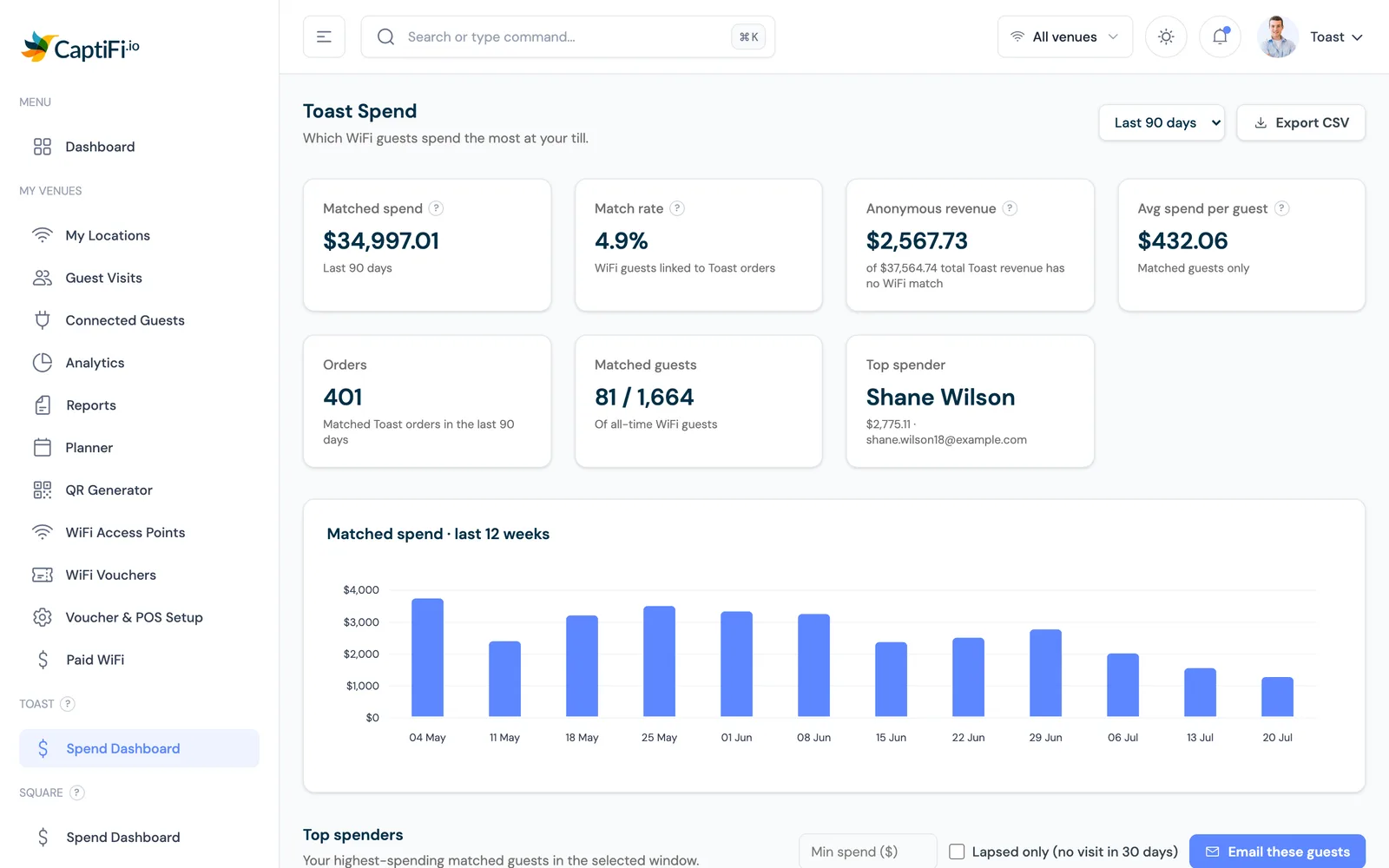
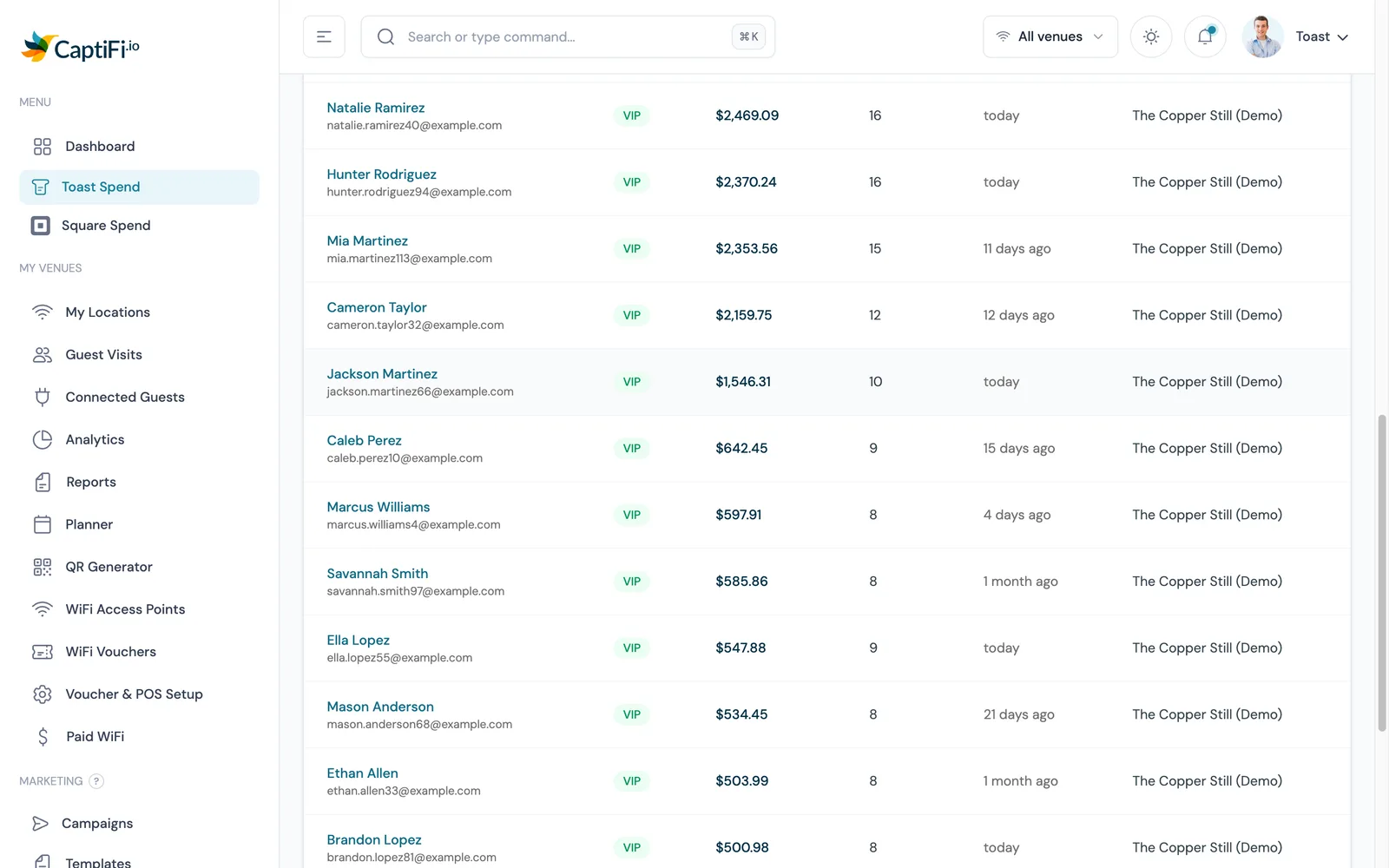
The dashboard turns a list of email addresses into matched spend, match rate, average spend per guest and a ranked list of top spenders for the last 30, 60 or 90 days, with anonymous revenue shown alongside so the unmatched share is never hidden.
VIP at 200 or more in your currency, Regular at 50 or more, Casual below that, all on spend in the window you have selected. The spend total also sits on each matched guest's profile beside their visits, so a name on the guest list becomes someone your team can place.
Filter to guests above a spend threshold with no order in 30 days, click Email these guests, and CaptiFi saves the list as an audience snapshot and links you to a new campaign for it.
Access is read-only. CaptiFi never edits an order, a price, a menu item or a payment, and it never writes anything back. Toast keeps running exactly as it does today.
Each sync reads the last 60 minutes of orders, so a delayed run cannot drop anything. A tab that closes later is picked up on a later pass and its total refreshed.
Toast identifies each restaurant by its own GUID, so a group connects each location separately and switches between them, or views all of them, from the venue selector.
Pick the last 30, 60 or 90 days at the top right (the default is 90) and every figure recalculates for it.
| Figure | What it tells you |
|---|---|
| Matched spend | Total value of the Toast orders CaptiFi linked to a WiFi guest in the selected window |
| Match rate | The share of your WiFi guests with at least one linked Toast order |
| Anonymous revenue | Toast revenue with no WiFi match, shown against total revenue so the gap is visible |
| Average spend per guest | Matched spend divided by matched guests, so it describes identified guests only |
| Orders | Matched Toast orders in the window |
| Matched guests | Guests with a linked order, shown against your all-time WiFi guest count |
| Top spender | Your highest-spending customer in the window and their total |
| Matched spend, last 12 weeks | A weekly bar chart, so a quiet fortnight shows before the quarter ends |
Every customer on the Toast Spend table is tiered by their spend in the window you have selected (30, 60 or 90 days), in your venue's currency. The thresholds are fixed amounts, so a bigger spender walking in never pushes anyone down a tier, and a regular who goes quiet for a season drops down as the window rolls.
| Tier | Spend in the window | Who they are |
|---|---|---|
| VIP | 200 or more | The regulars who spend the most. The first people to hear about a tasting menu, a members' night or a new opening. |
| Regular | 50 up to 200 | Guests who come back and spend steadily. The group a mid-week offer or a loyalty push moves most. |
| Casual | Under 50 | One-off and light spenders, the group a welcome-back email suits. |
Most tabs are paid by card and carry no email. WiFi sign-in gives you a contact for the crowd, and the Toast match shows which of them are the regulars worth keeping.
See the diners who come back and spend well, tier them, and email the ones who have gone quiet before they become someone else's regulars.
High volume, low ticket. A VIP threshold of 200 picks the daily customers out from the passers-by, and the 12-week trend shows the weeks that dipped.
One set of Toast credentials per location, a venue selector across all of them, and a CSV export for your own reporting.
Ask Toast support or your Toast account manager for API credentials for a third-party integration with read access to orders. You need three values for each location: the client ID, the client secret and the restaurant GUID. The secret is shown once, so write it down.
On my.captifi.io open Integrations, click Configure on the Toast POS card and enter the three values for the venue. Leave the environment on production unless Toast asked you to test in sandbox. The secret is stored write-only.
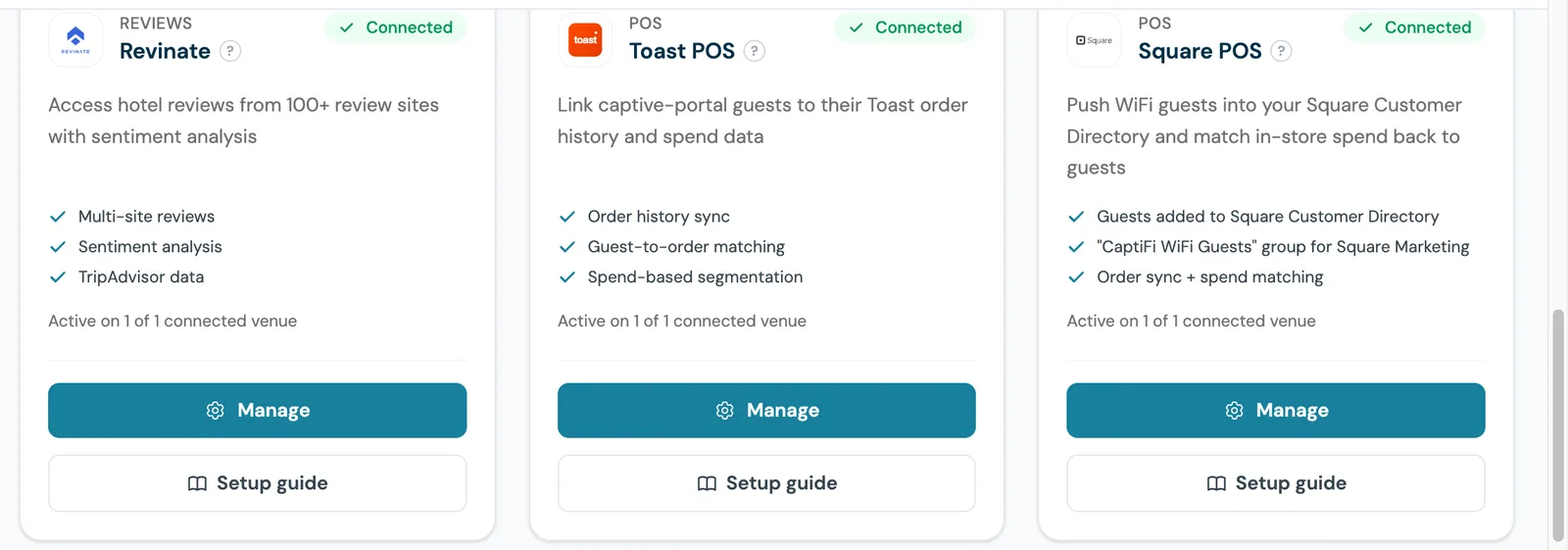
Save, then turn the integration on for that venue. The card shows Connected, and Toast Spend appears in the sidebar after the first successful sync. The first matched orders normally show within 30 minutes, and the feed starts about an hour before the moment you connected.
Pick the last 30, 60 or 90 days (the default is 90) and read matched spend, match rate, anonymous revenue, average spend per guest, orders, matched guests, your top spender and the 12-week trend. Below the chart, your top spenders are ranked and tiered.
Set a minimum spend, tick lapsed only and click Email these guests. CaptiFi saves the filtered list as an audience snapshot and links you to a new campaign for it. Export CSV when you want the table in a spreadsheet.
Step by step, with screenshots.
A neighbourhood bar and grill sees a single-digit match rate in week one, asks servers to add an email when they close a tab, and watches the matched share climb as regulars sign in to the WiFi and give the same address at the register.
A full-service restaurant filters to guests who spent 150 or more and have not ordered in 30 days, saves the snapshot and sends a chef's table invitation to the exact people who used to book the big tables.
A five-location group connects one set of Toast credentials per restaurant, switches between venues on the dashboard and exports matched spend as a CSV for the finance team each month.
Every integration in the directory ships inside Growth alongside email campaigns, review requests, SMS and the guest database. The 30-day free trial runs at Growth level, so you can connect Toast on day one and see matched orders before you pay anything.
30-day free trial. Cancel anytime.